Connect your WhatsApp number
Add your WhatsApp Business Platform number from Meta so easymessage can send messages and receive replies.
easymessage sends messages from your WhatsApp number, through Meta's official WhatsApp Business Platform. You need:
- a Meta Business account (business.facebook.com);
- a Meta app with the WhatsApp product added (developers.facebook.com → My Apps → Create app → Business);
- a phone number added to WhatsApp in that app. It can't be a number already used in the WhatsApp or WhatsApp Business phone app.
1. Collect four values from Meta
- In your Meta app, open WhatsApp → API Setup. Copy the Phone number ID and the WhatsApp Business Account ID.
- Create a permanent access token: in Business settings → Users → System users, add a system user, assign your app and WhatsApp account to it, then click Generate new token with the permissions
whatsapp_business_messagingandwhatsapp_business_management.The temporary token on the API Setup page stops working after 24 hours. Use a system-user token so messages keep going. - In App settings → Basic, copy the App secret.
2. Save them in easymessage
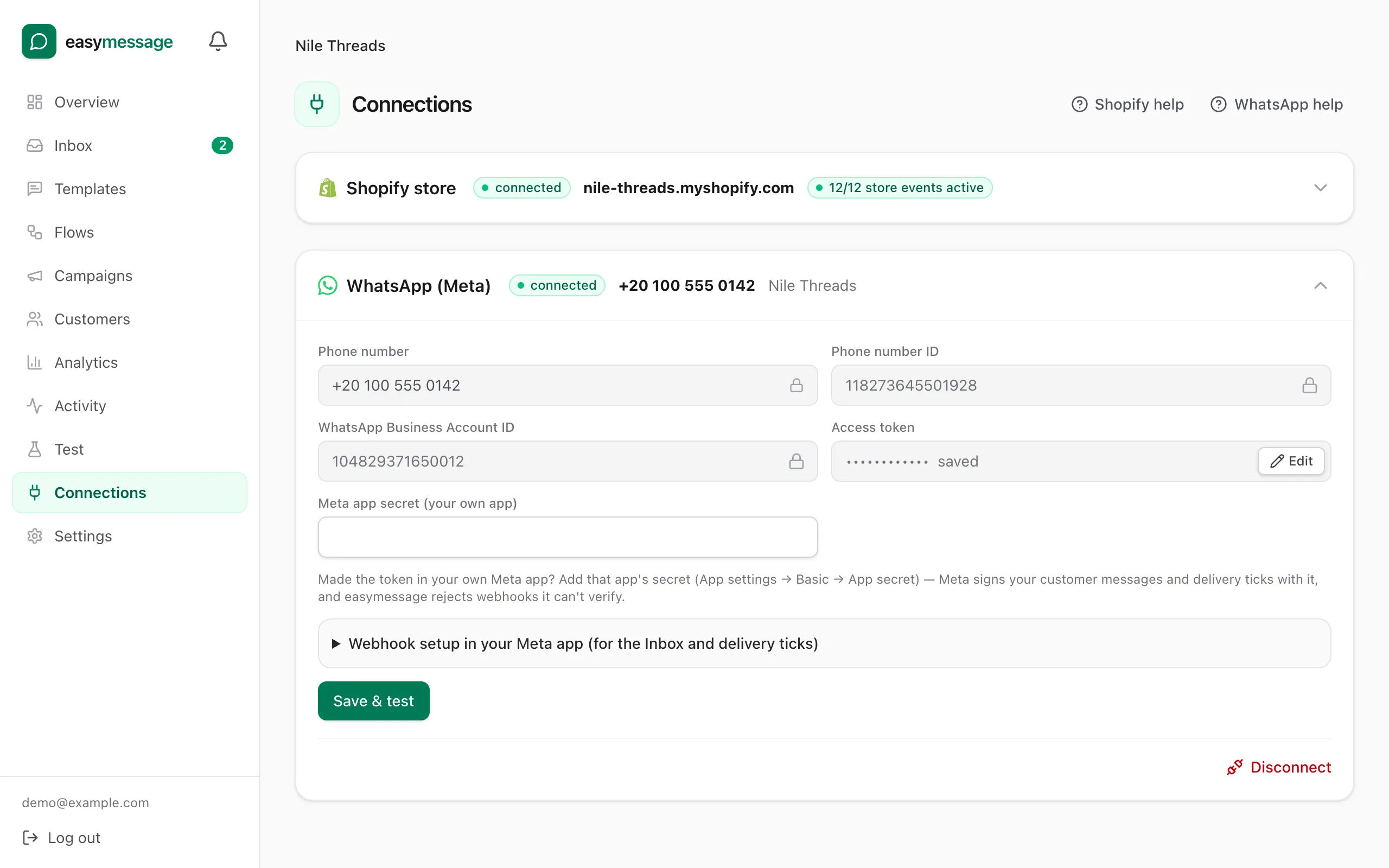
- Open Connections and expand WhatsApp (Meta).
- Paste the Phone number ID, WhatsApp Business Account ID, Access token and Meta app secret.
- Click Save & test. easymessage checks the token with Meta and shows your number and business name when it works.
3. Turn on replies and delivery ticks
So customer replies reach your Inbox and you see delivered and read ticks, point your Meta app's webhook at easymessage. The values are under Webhook setup in your Meta app on the Connections page.
- In your Meta app, open WhatsApp → Configuration → Webhook → Edit.
- Paste the Callback URL and Verify token from the Connections page, then click Verify and save.
- Under Webhook fields, subscribe to messages. Also subscribe to account_update, phone_number_quality_update and business_capability_update.
- Click Save & test again in easymessage. easymessage then subscribes your app to the WhatsApp account automatically.
Add a payment method in Meta
Meta charges for WhatsApp conversations directly. In WhatsApp Manager → Account tools → Payment methods, add a card, otherwise Meta won't deliver messages after the free allowance.
Still stuck? Contact us — tell us what you tried and what you see, and we'll help you finish the setup.