The product
Everything between “order placed” and “thank you.”
easymessage connects your Shopify store to WhatsApp, sends the right message at the right moment — and when customers reply, you answer from the same place.
Shopify
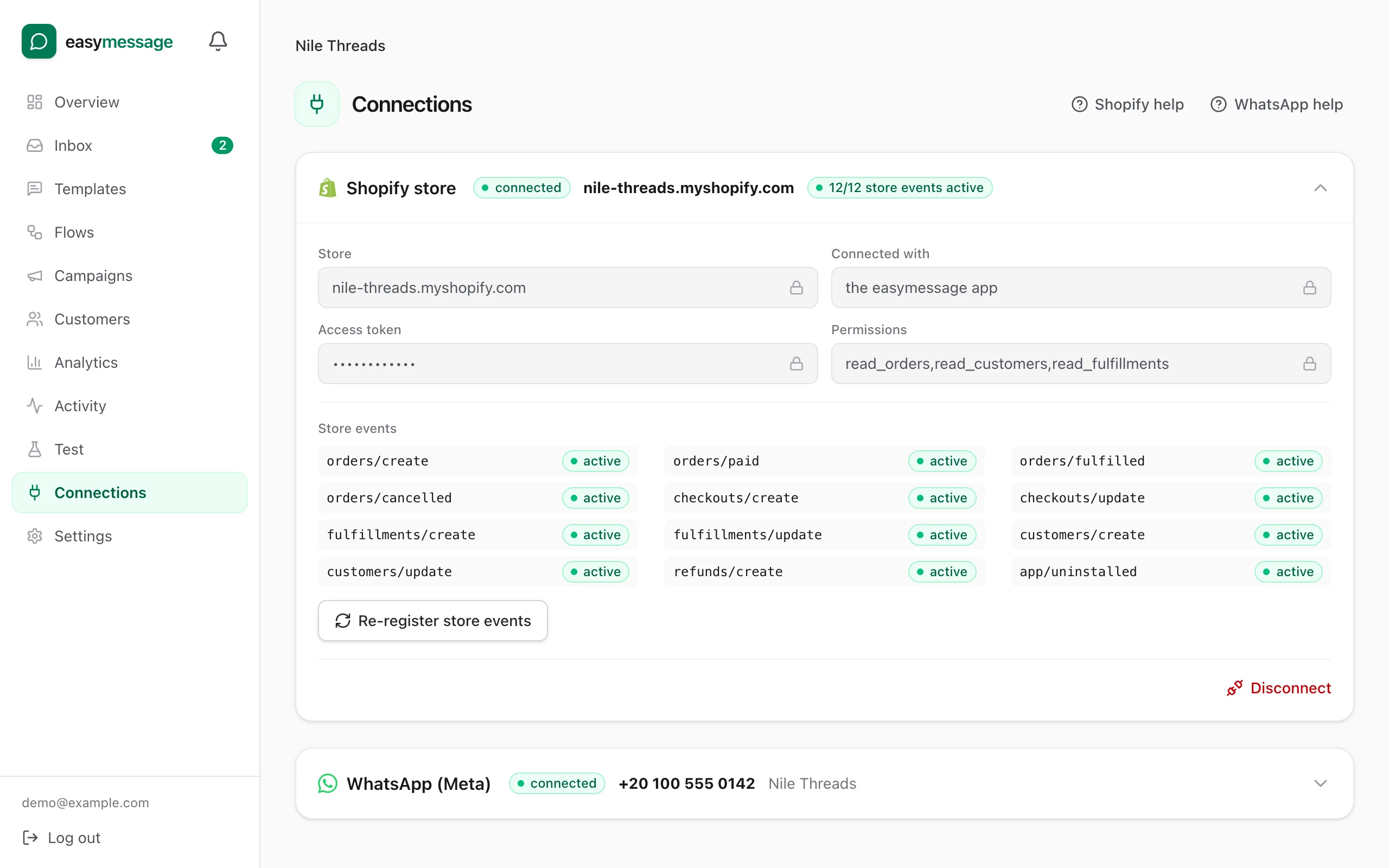
Connects to Shopify in a few clicks
easymessage listens to your store's orders, checkouts, shipments, refunds, returns and customers through Shopify's official webhooks. New events show up in seconds, and customers and their marketing consent stay in sync.
- 20+ Shopify events: order placed, paid, fulfilled, out for delivery, delivered, refunded…
- Cash-on-delivery orders detected automatically
- Customer marketing consent respected on every marketing message
Templates
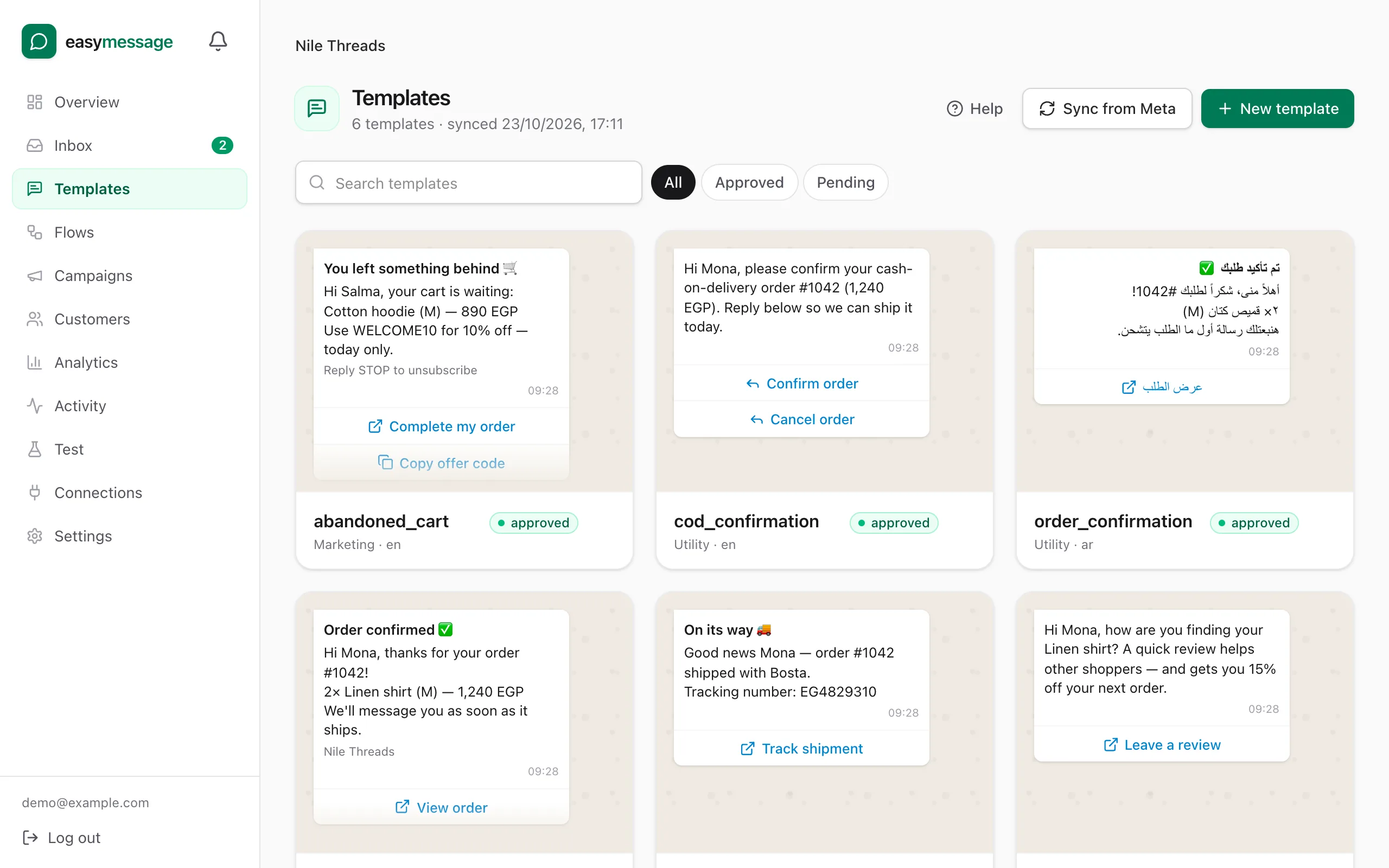
WhatsApp templates with a live preview
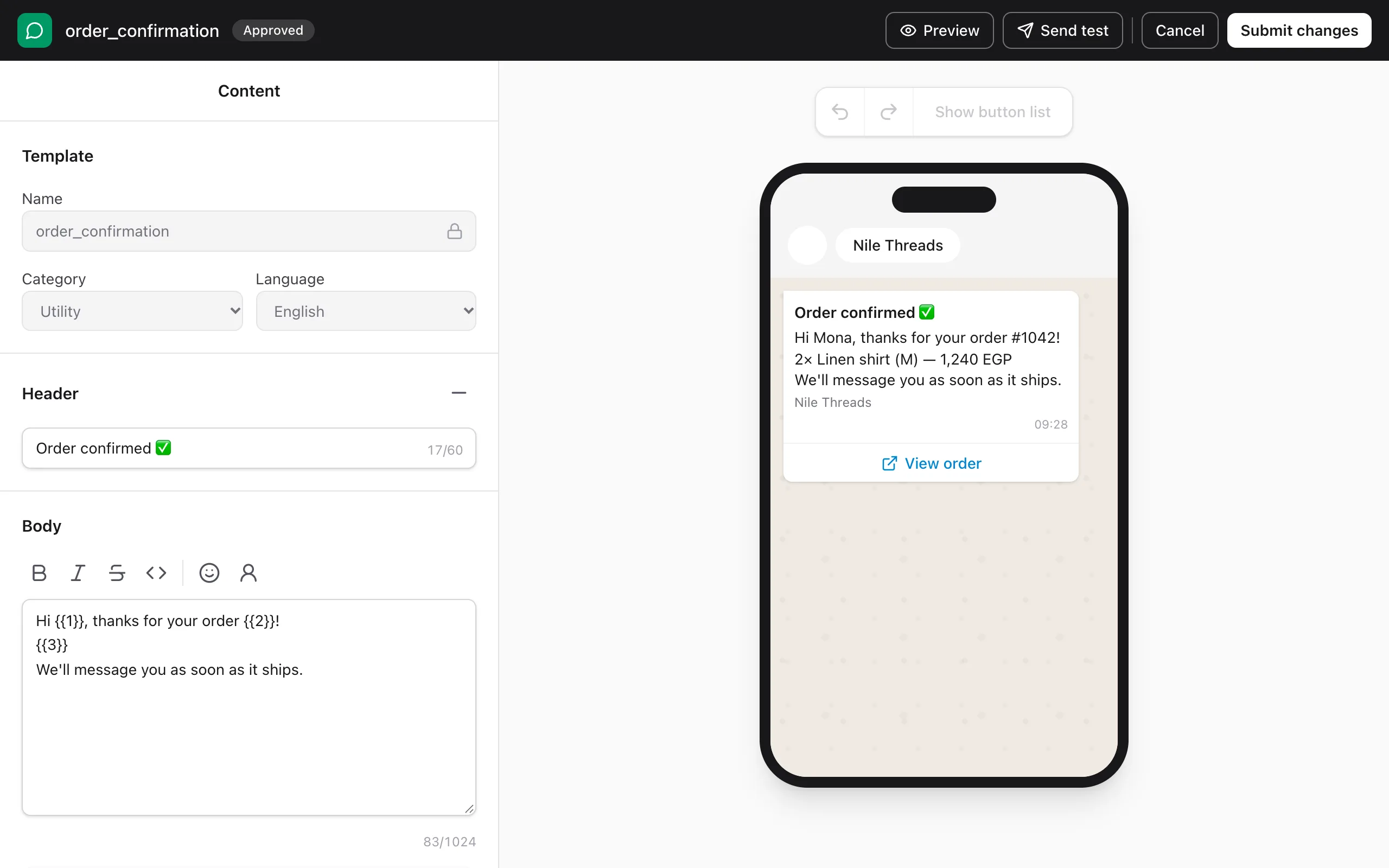
WhatsApp only allows approved templates for messages you start. Write yours with a phone preview that updates as you type, insert order details as variables, add buttons and images, then submit to Meta from the same screen.
- Variables for names, order numbers, products, totals, tracking links and discount codes
- Header images, videos and documents; link, phone, quick-reply and copy-code buttons
- Approval status synced from Meta, with the rejection reason when there is one
Flow builder
A visual flow builder
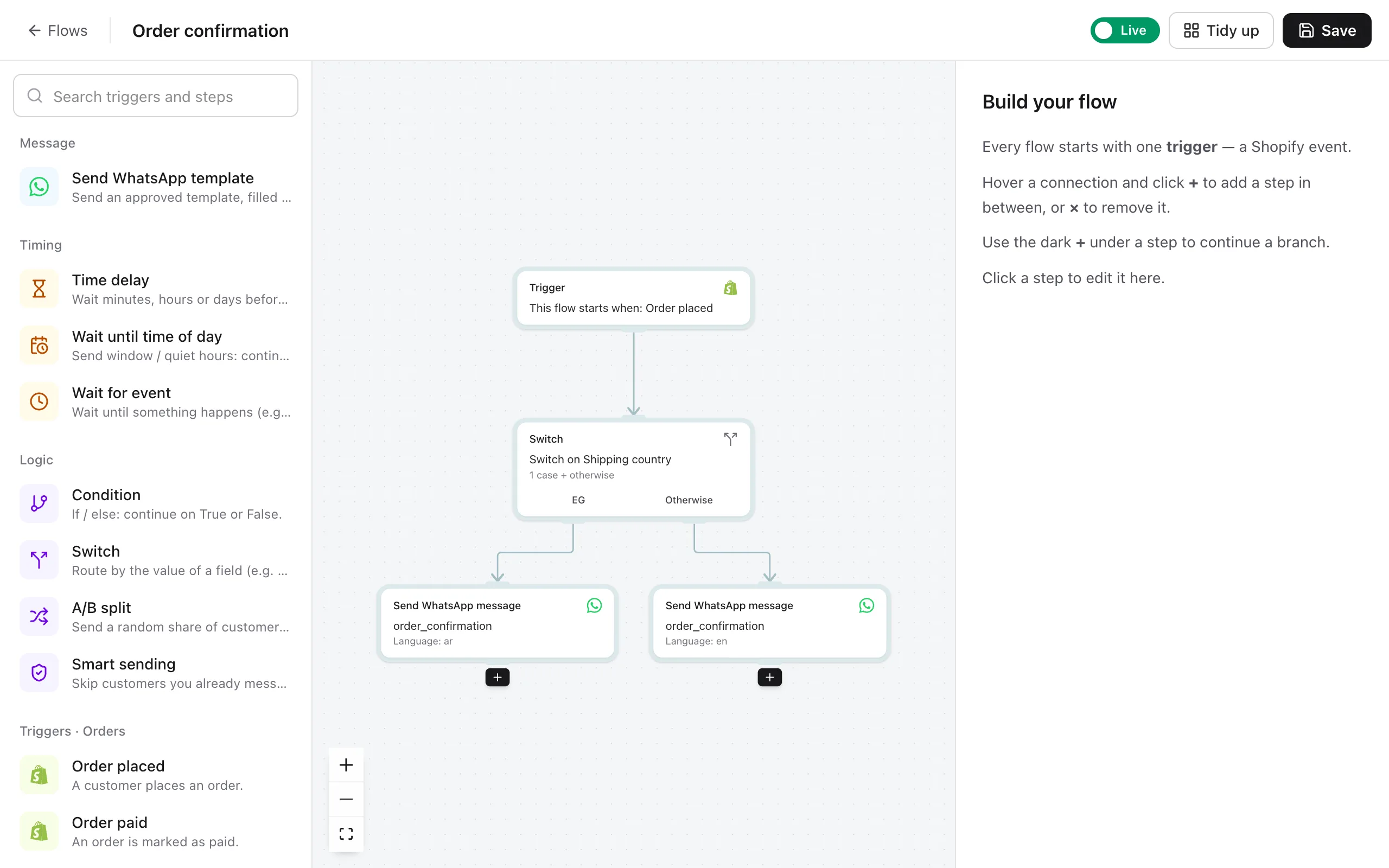
Each automation is a flow: a Shopify trigger, then any mix of conditions, waits and messages. Start from a ready-made flow or build your own by dragging steps onto the canvas.
- Conditions on country, order total, payment method, tags, products and more
- Wait a set time, until a time of day, or until another event happens
- A/B splits to test two messages against each other
- Problems are flagged when you save, before a single message goes out
Abandoned cart
Abandoned-cart reminders that stop themselves
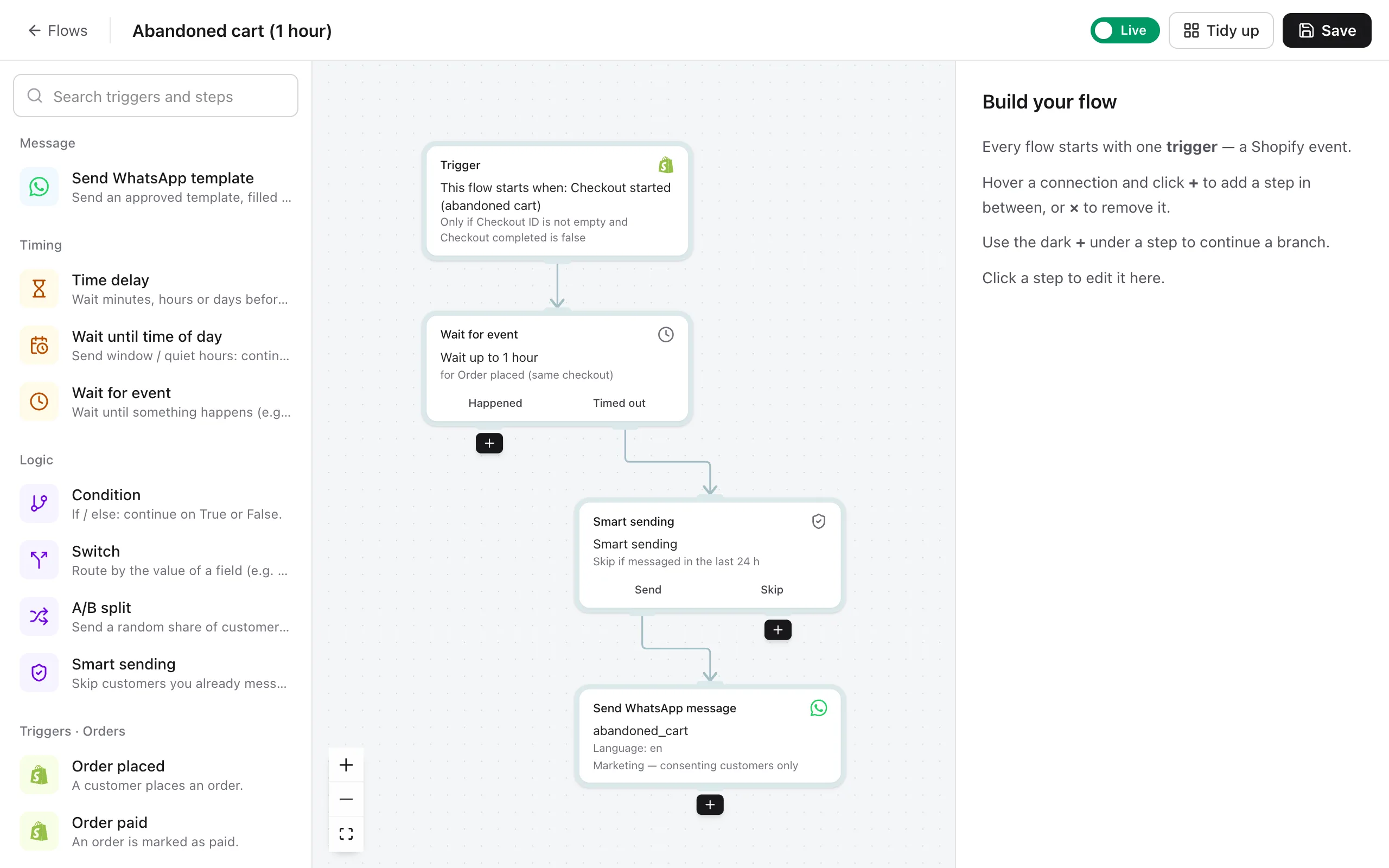
When a customer starts checkout and leaves, easymessage waits (one hour by default) and sends a reminder with the items still in their cart and a link straight back to checkout. If they order in the meantime, the reminder is cancelled.
- Cart items, total and the checkout link filled in for you
- Optional discount code with a copy-code button
- Sent only to customers who accepted marketing
Inbox
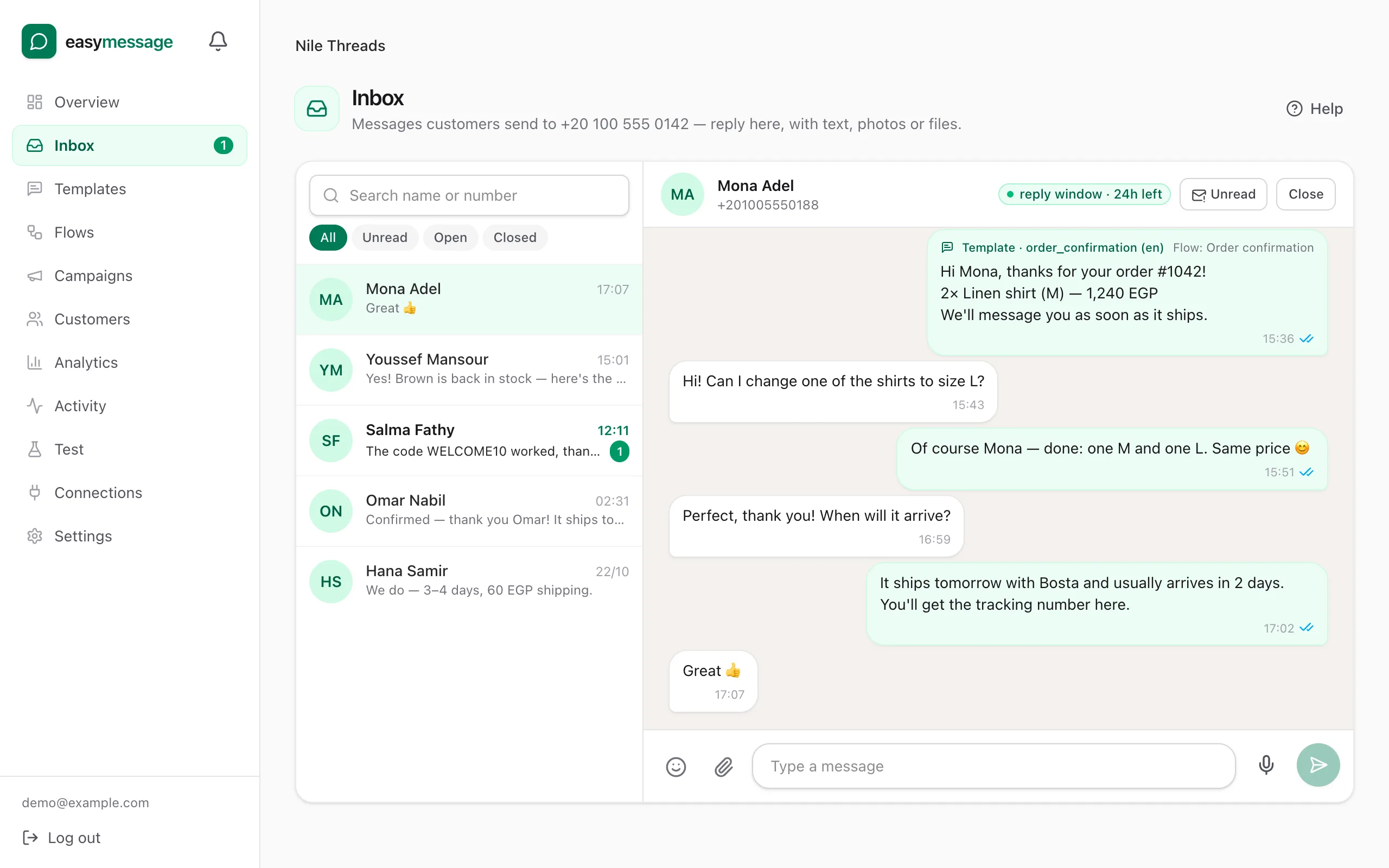
An inbox for customer replies
When customers reply to an order update, the conversation lands in your easymessage inbox. Answer with text, emoji, photos, files or a voice note — from the same place you set up your automations.
- One click from a conversation to the customer's profile and orders
- Photos, PDFs and voice notes in both directions
- Shows how long WhatsApp's 24-hour reply window has left
Analytics
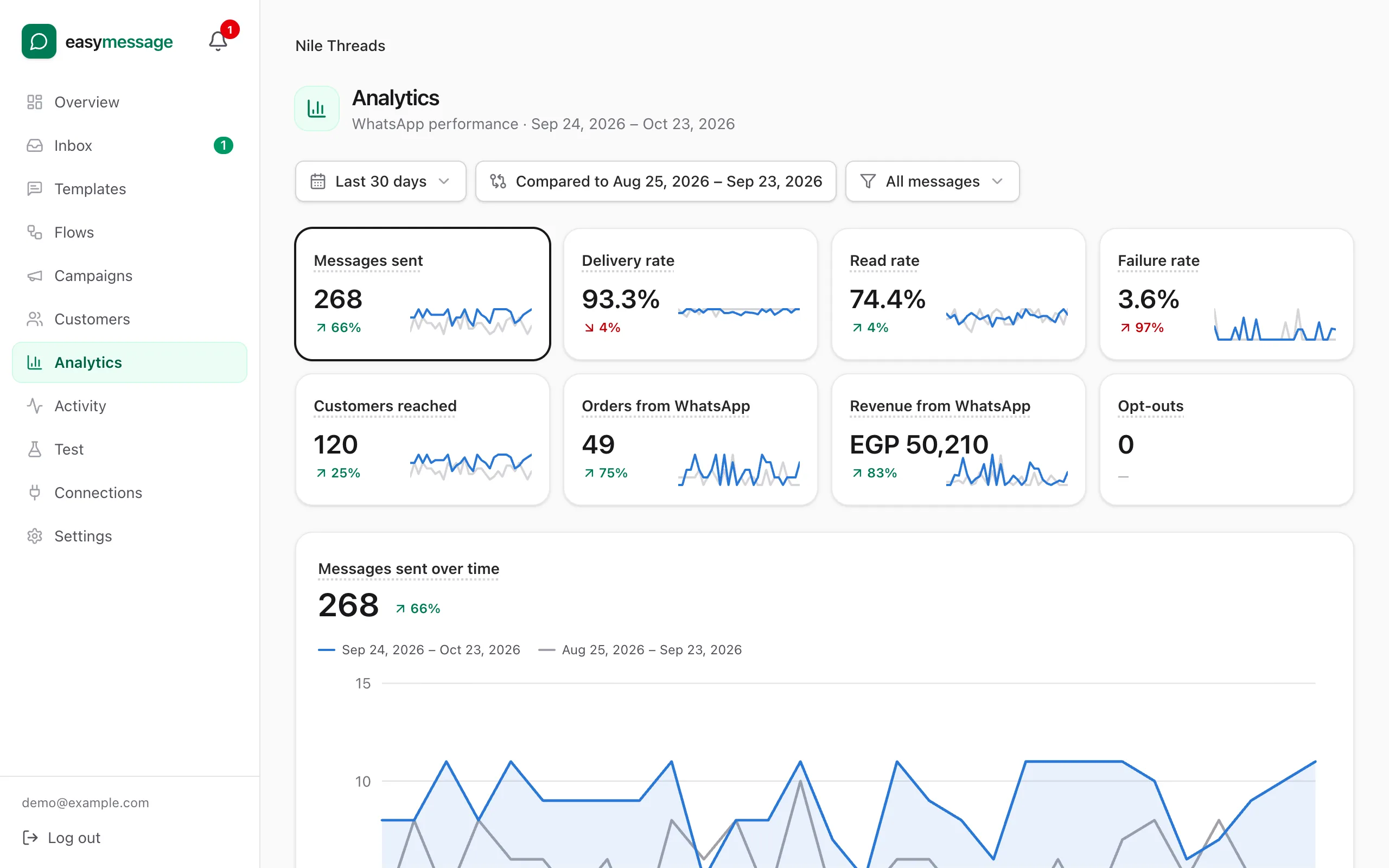
Analytics that show what's working
See how many messages were sent, delivered, read and failed for each flow, and the orders customers placed after a message. Every Shopify event and every message is in the activity log if you need to check what happened.
- Delivered and read rates per flow
- Failed messages with the reason from WhatsApp
- Orders and revenue placed within days of a message
Languages
Any language your customers speak
Write each template in as many languages as you need — English, Arabic, French and every other language WhatsApp supports — and choose which version each flow sends. Arabic and other right-to-left text displays correctly in the preview.
- Each language approved by Meta separately
- Send different languages by country with a condition
- Right-to-left preview for Arabic
And the little things
Built in, on every plan.
Campaigns
One-off messages to opted-in customers, filtered by tags, country, orders or spend.
Customer profiles
Orders, messages and consent for every customer, synced from Shopify.
Test mode
Send every message to your own phone until you're happy with it.
Problem alerts
Expired tokens, rejected templates and store disconnects flagged with the fix.
Plans differ only in how many messages you send. See pricing
Start in minutes
Let every order update land where it's read.
14-day free trial · cancel any time · most stores are set up in about 15 minutes.